⚾ Product Walkthrough

DiamondLogix Quick-Start Guide: From Setup to Game Day

Five steps take a club from an empty organization to a fully tracked Sunday bracket — no spreadsheets, no group-text chaos.

  1. Step 1

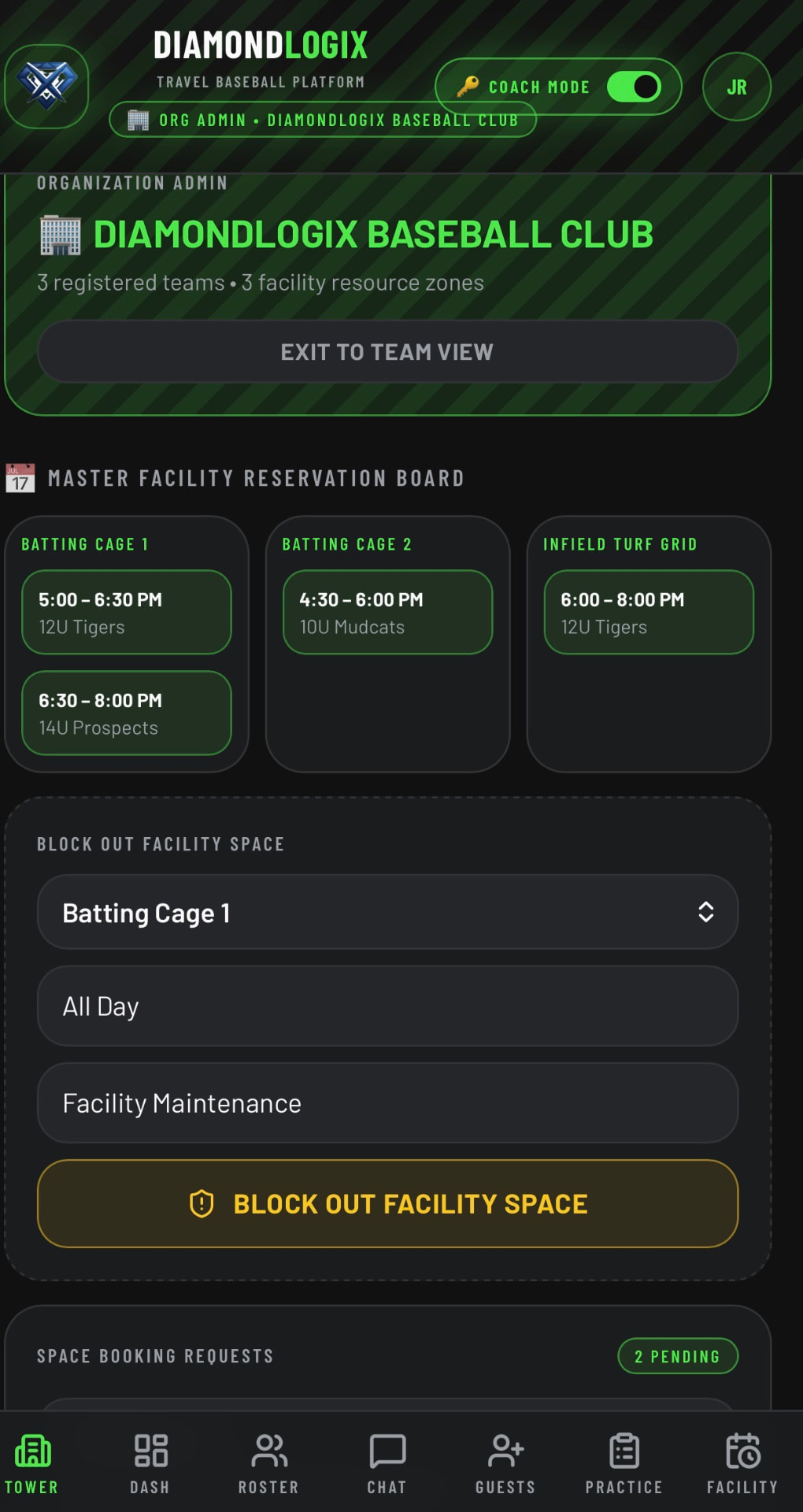
    Setting Up Your Control Tower

    Club Directors & Owners

    • Create your organization profile — club name, age divisions, and home facility — from the Control Tower tab.
    • Register each cage, tunnel, and field, then set the hard safety capacity for every space so bookings can never oversell a lane.
    • Invite head coaches by email; each invite drops them into your club roster with their own team workspace already provisioned.
    • Track club-wide dues, facility revenue, and team-by-team balances in the organization finance ledger.
    Setting Up Your Control Tower screenshot
  2. Step 2

    Loading Your Roster & Contacts

    Head Coaches

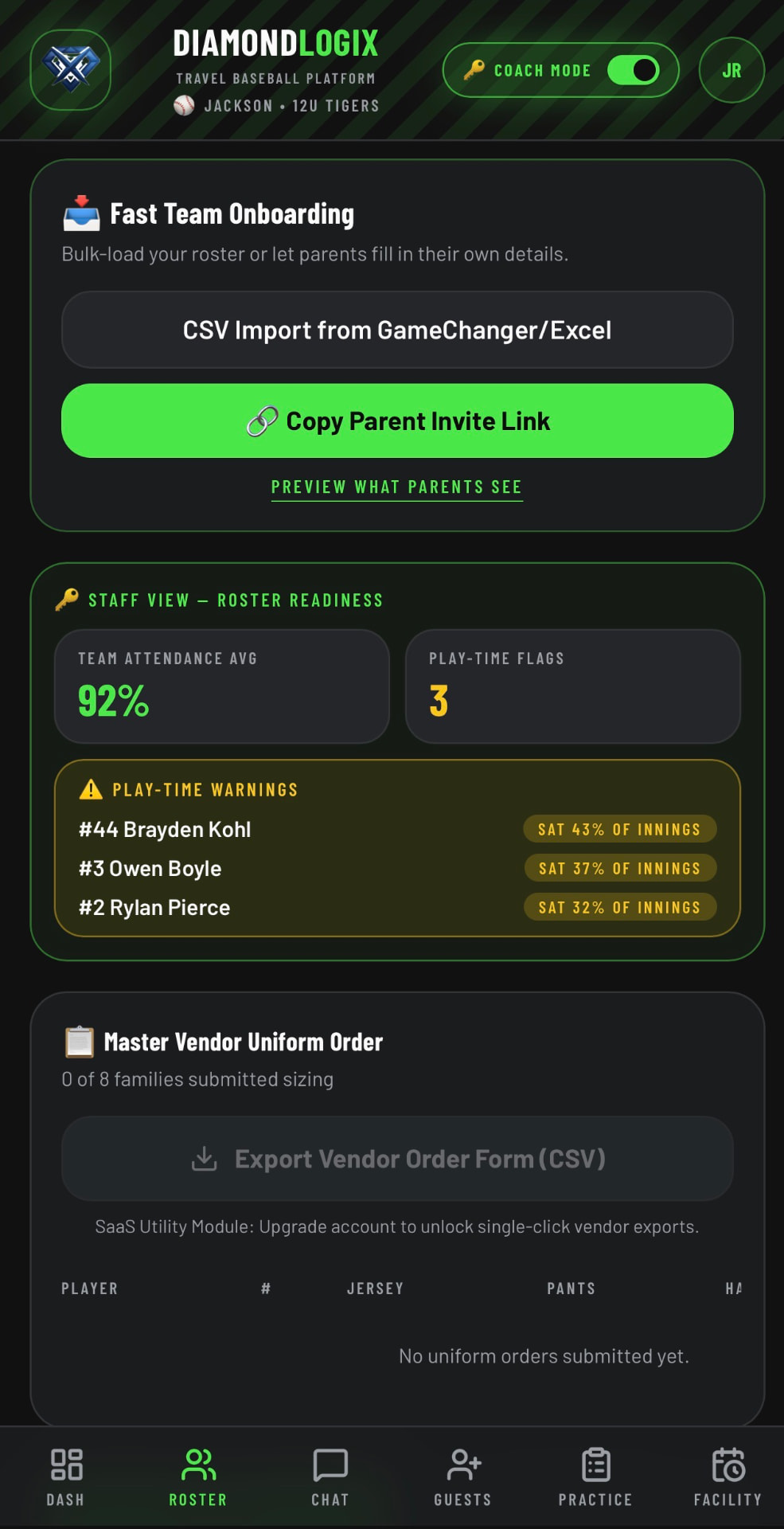
    • Import your roster from a GameChanger or Excel CSV in one click, or add players manually from the Roster tab.
    • Assign jersey numbers (0–99, validated for duplicates) and tag each player's primary and secondary defensive positions.
    • Enter date of birth once — league age and division eligibility calculate automatically off the May 1 cutoff.
    • Link guardian names, phone numbers, and parent contact emails, or send the Parent Invite Link and let families fill in their own details.
    Loading Your Roster & Contacts screenshot
  3. Step 3

    Booking Cage Time

    Coaches & Parents

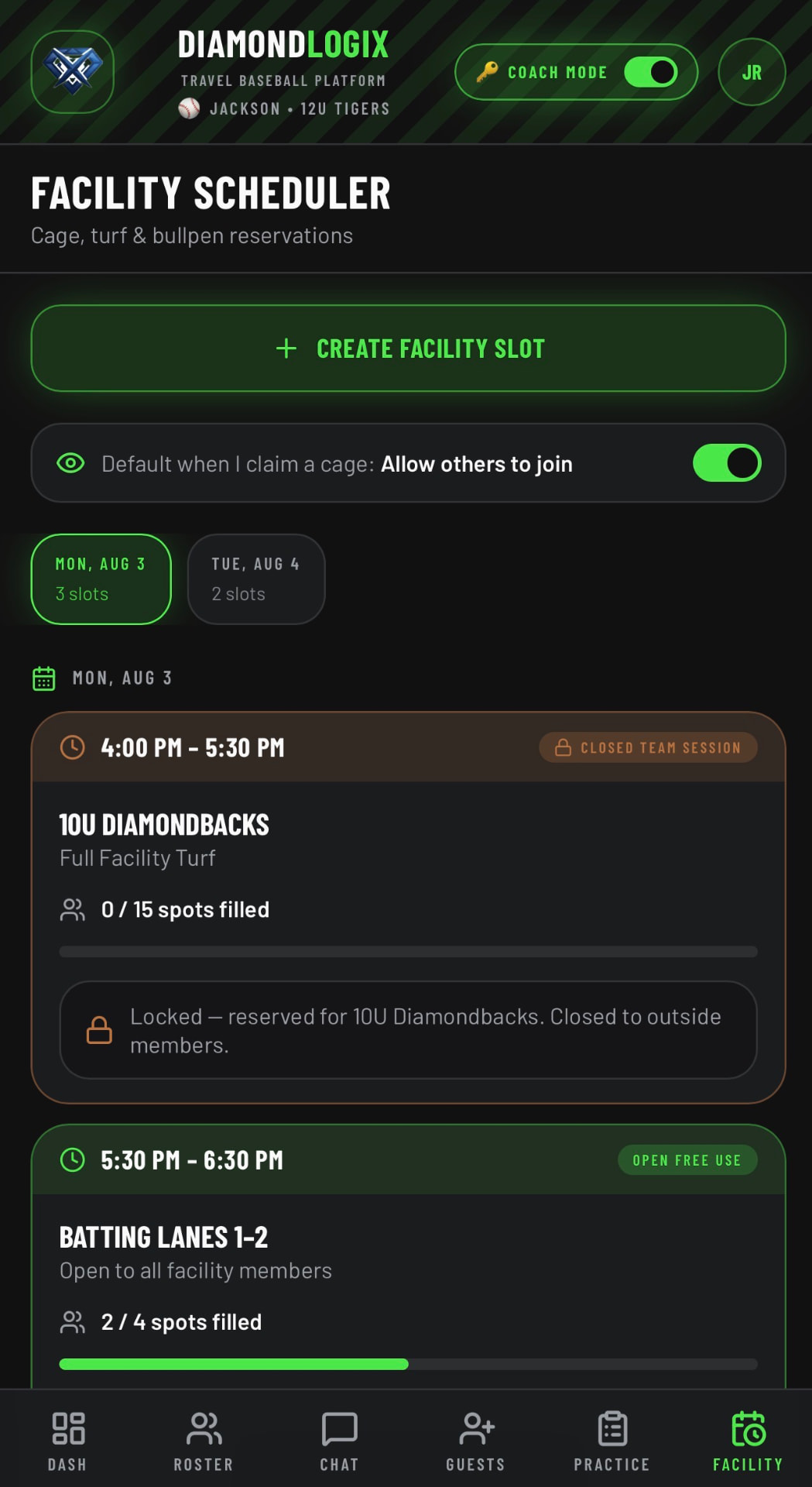
    • Open the Facility tab to see the weekly grid — Emerald Green slots are open and instantly claimable.
    • Claim a private lane to lock the whole cage for your team, or join a shared cage slot to split time and cost with another family.
    • Every slot enforces the facility's hard safety limit; once capacity is met the slot closes automatically instead of overbooking.
    • Cancellations release the lane back to Emerald Green in real time so another team can grab it.
    Booking Cage Time screenshot
  4. Step 4

    Simulating Sunday Brackets

    Tournament Weekend

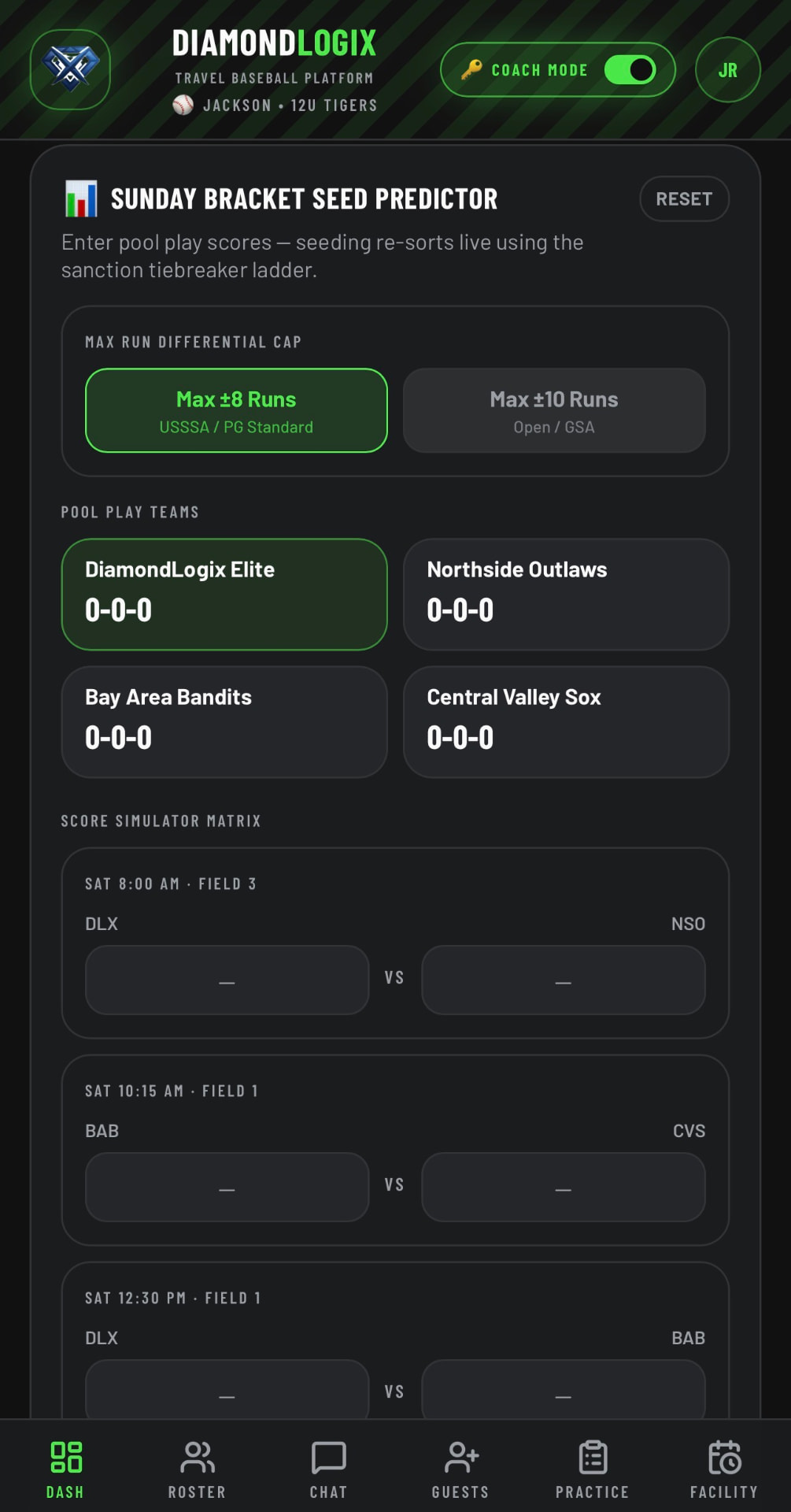
    • Enter pool-play scores into the Score Simulator Matrix and watch seeding recalculate live.
    • The engine applies the standard travel-ball tiebreaker ladder: record, head-to-head, then run differential, runs allowed, and coin flip.
    • Run differential is capped at the strict +/- 8 and 10 run rules, so blowouts never distort a seed the way raw margins would.
    • Push the projected seeds straight into a 4- or 8-team single-elimination tree and score the bracket game by game.
    Simulating Sunday Brackets screenshot
  5. Step 5

    Live Dugout Tracking & Pitch Smart Compliance

    Game Day

    • Run the live Lineup Board from the dugout: batting order, bench, and a tap-to-assign field canvas.
    • Build inning-by-inning defensive grids so every player's innings and play-time are logged as the game moves.
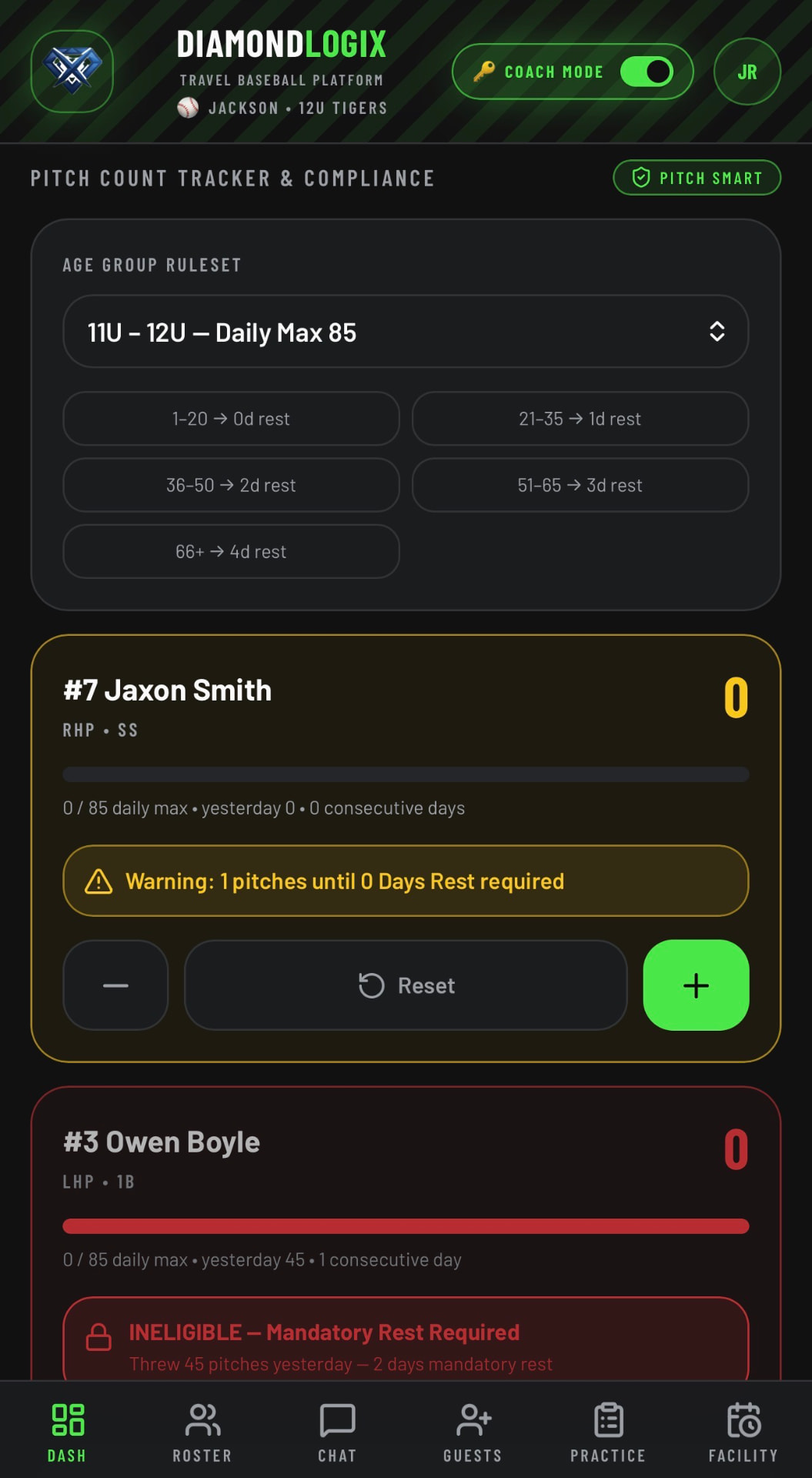
    • Tap the live pitch counter each pitch — totals sync even when the ballpark Wi-Fi drops, then upload when you're back online.
    • Automated Yellow flags warn as a pitcher nears his MLB Pitch Smart daily max; Red flags lock him out and post the required rest days.
    Live Dugout Tracking & Pitch Smart Compliance screenshot

One Platform. Every Weekend.

Founding-member pricing is locked for early organizations. Reserve your club's slot before launch.

Ready to Streamline Your Dugout? Join the Waitlist